Four jobs, one button
Set the recipe once, or pick a saved preset, and Pixtamer runs it on every file in the batch. Here's what happened to one iPhone photo in that export.
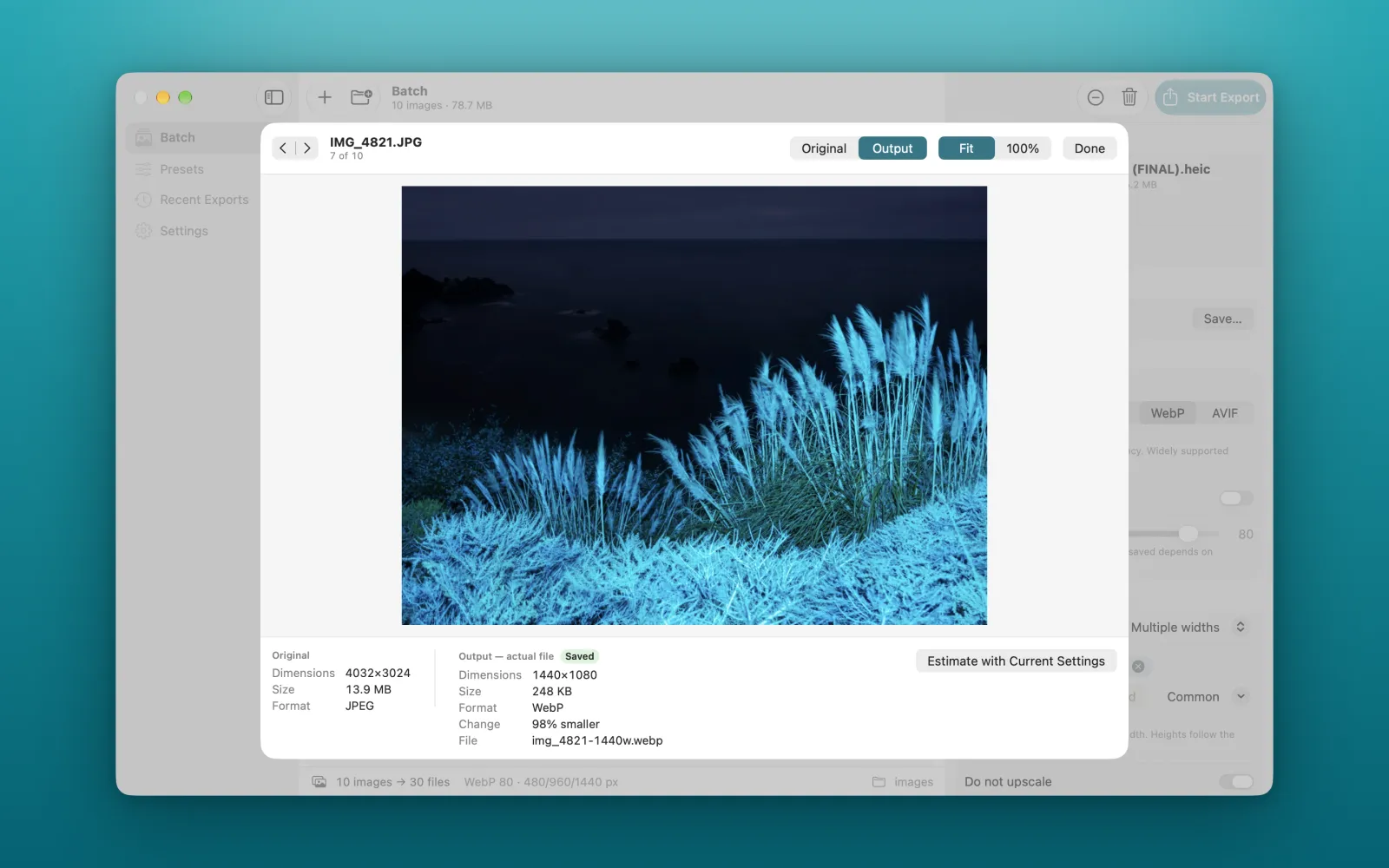
| Job | Before | After |
|---|---|---|
| Convert | JPEG | WebP |
| Resize | 4032 × 3024 | 1440 × 1080 |
| Compress | 13.9 MB | 248 KB |
| Rename | IMG_4821.JPG | img_4821-1440w.webp |
Every width your srcset needs
Add the widths once. Each image becomes one file per width, named so you can paste them straight into your markup. Small images are never upscaled.
- 480 wide
- 15 KB
- 960 wide
- 39 KB
- 1440 wide
- 66 KB
All three came from a single 25.2 MB TIFF.
<img
  src="about-us-header-960w.webp"
  srcset="about-us-header-480w.webp 480w,
          about-us-header-960w.webp 960w,
          about-us-header-1440w.webp 1440w"
  sizes="100vw"
  alt="About us">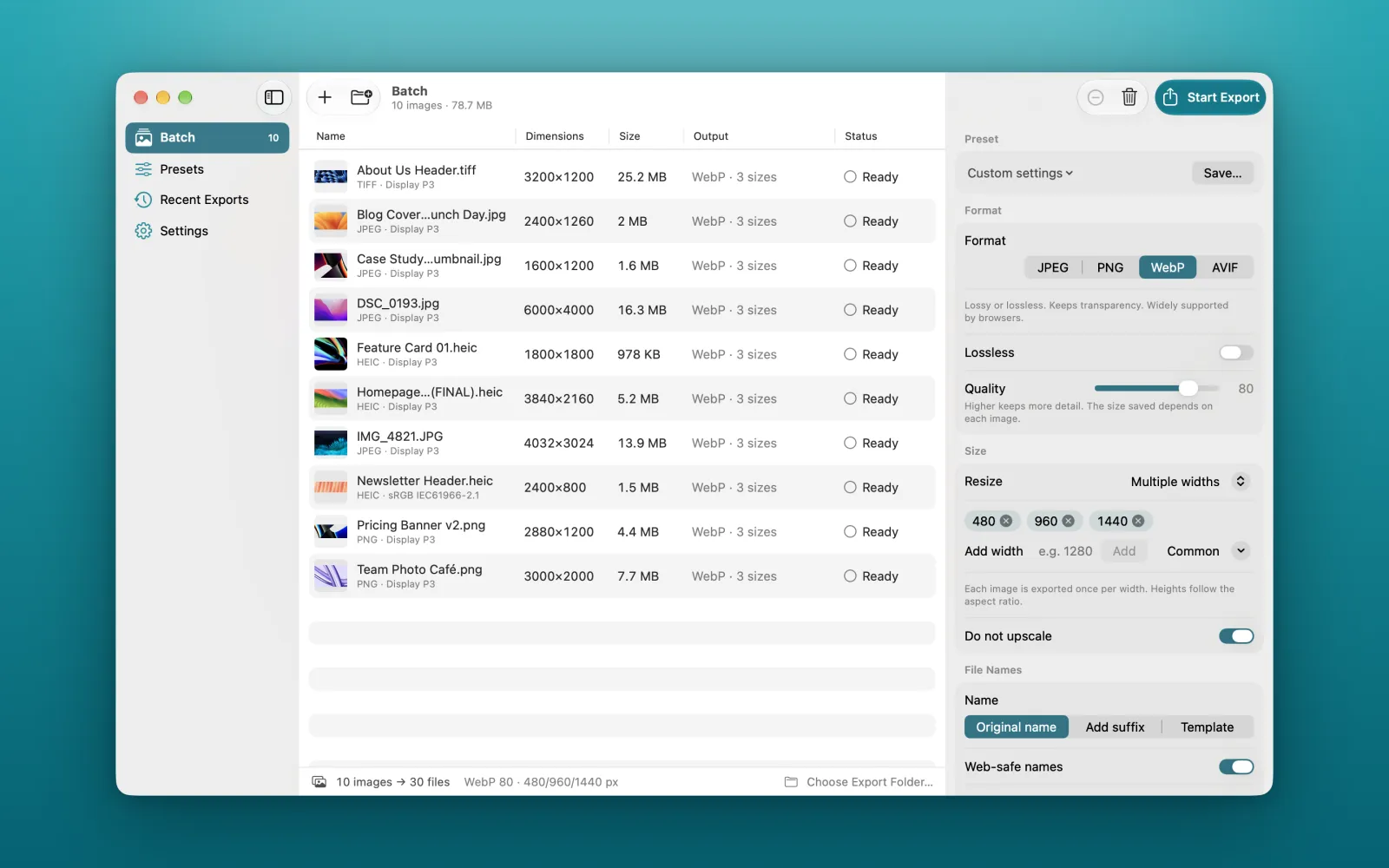
Safe to run on real work
Pixtamer is sandboxed by macOS. It reads only the files you add and writes only to the folder you choose.
Your originals stay as they are
Every export is a new file. Pixtamer never edits the source image.
Nothing leaves your Mac
There's no account, no analytics and no upload. The app has no network access.
No surprise overwrites
Existing files stay unless you choose to replace them.
One bad file won't stop the batch
The rest keep going, and you can retry the ones that failed.
Real sizes, not estimates
The numbers come from the files Pixtamer actually wrote.
Check before you publish
Compare any image before and after, at fit or at 100%.
Formats
Reads JPEG, PNG, HEIC, WebP, AVIF, TIFF, GIF, BMP and JPEG XL, as far as your version of macOS supports them.
| Export as | Good to know |
|---|---|
| JPEG | Transparency is flattened onto white. |
| PNG | Lossless, so photos can end up larger. |
| WebP | Lossy or lossless. Metadata is removed and colours convert to sRGB. |
| AVIF | Appears when your Mac's encoder passes a test at launch. |
- Animated GIFs export their first frame.
- 16-bit and HDR images export as 8-bit.
- RAW and PSD files aren't accepted.